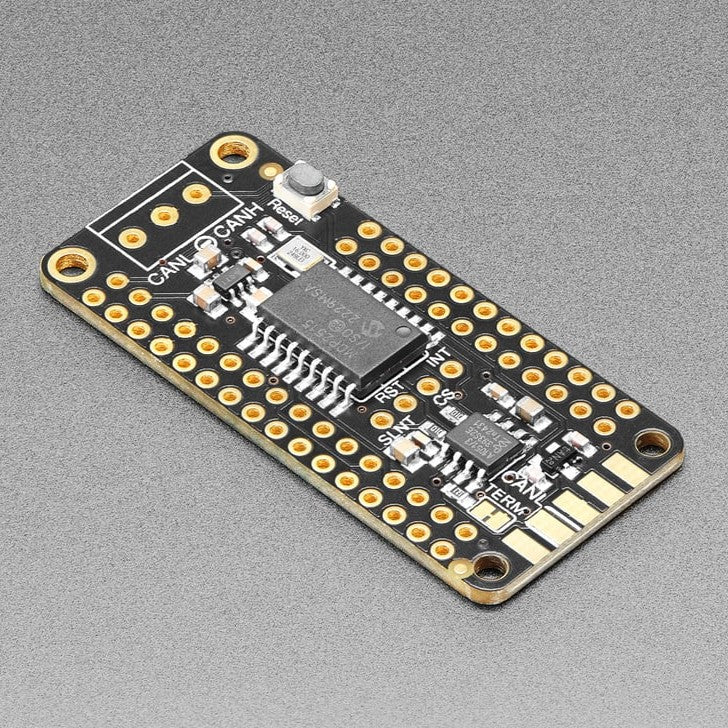
Adafruit CAN Bus FeatherWing - MCP2515
CAN Bus is a small-scale networking standard, originally designed for cars and, yes, busses, but is now used for many robotics or sensor networks that need better range and addressing than I2C, and don't have the pins or computational ability to talk on Ethernet. CAN is 2 wire differential, which means it's good for long distances and noisy environments.
Messages are sent at about 1Mbps rate - you set the frequency for the bus and then all 'joiners' must match it, and have an address before the packet so that each node can listen in to messages just for it. New nodes can be attached easily because they just need to connect to the two data lines anywhere in the shared net. Each CAN devices sends messages whenever it wants, and thanks to some clever data encoding, can detect if there's a message collision and retransmit later.
If you'd like to connect your Feather to a CAN Bus, the Adafruit CAN Bus FeatherWing with MCP2515 controller and TJA1051/3 transceiver will work with any and all Feathers! The controller used is the MCP2515, an extremely popular and well-supported chipset that has drivers in Arduino and CircuitPython and only requires an SPI port and two pins for chip-select and IRQ. Use it to send and receive messages in either standard or extended format at up to 1 Mbps.
We've added a few nice extras to this Feather to make it useful in many common CAN scenarios:
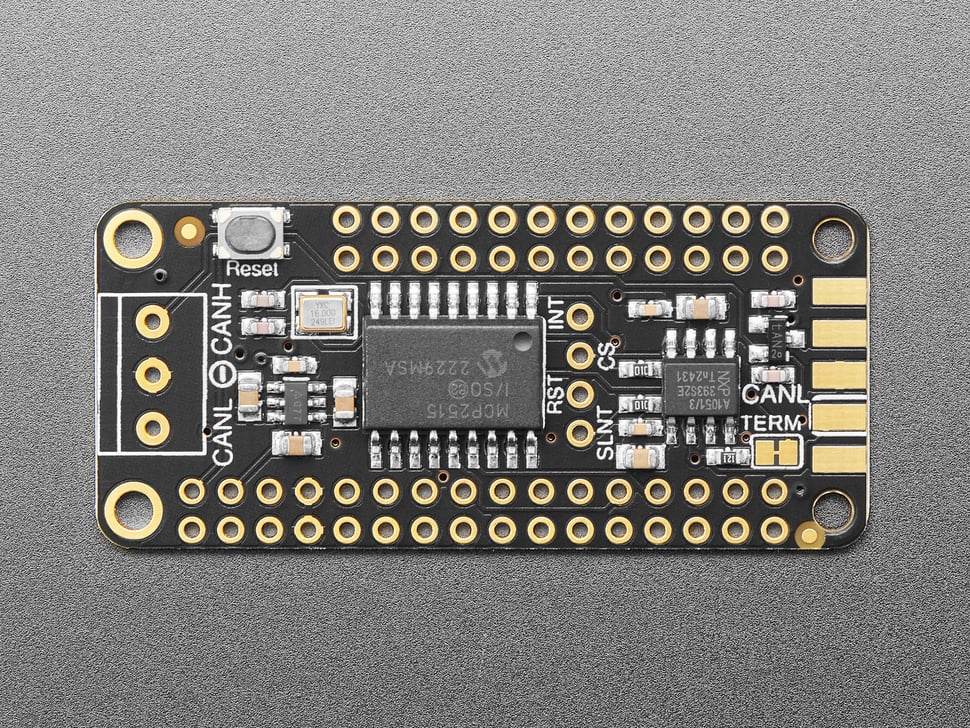
- 5V charge-pump voltage generator, so even though you are running 3.3V on a Feather board, it will generate a nice clean 5V as required by the transciever.
- 3.5mm terminal block that can be soldered in to get quick access to the High and Low data lines as well as a ground pin.
- 120 ohm termination resistor on board, you can remove the termination easily by cutting the jumper marked TERM on the top of the board.
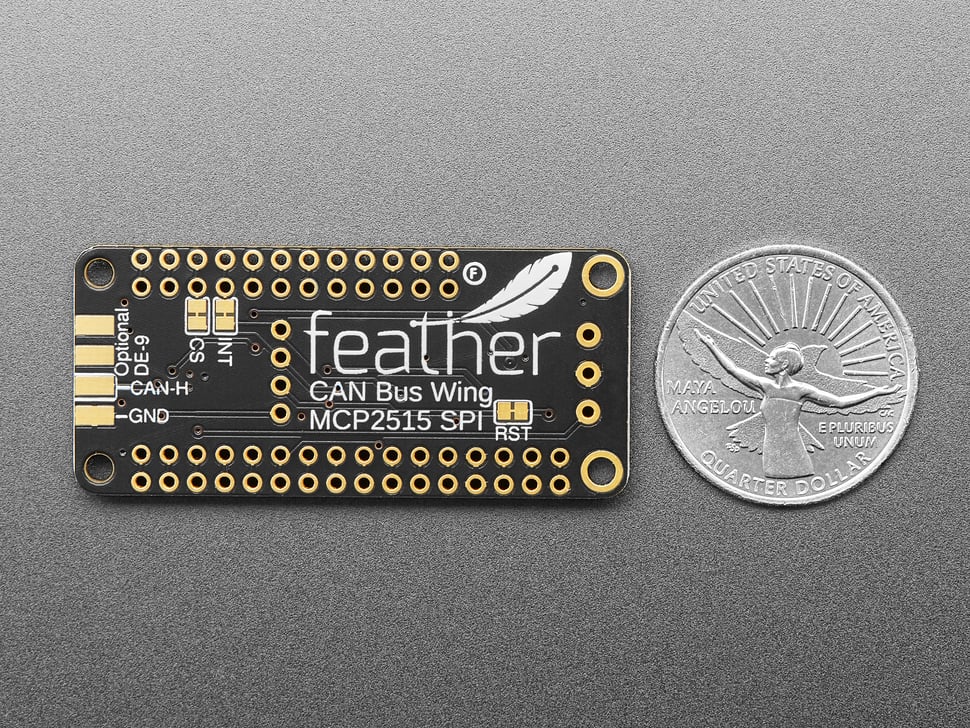
- A spot that one can solder an optional (not included!) edge-launch DE-9 connector that is commonly used for connecting to CAN devices. L is connected to pin 2 and H is connected to pin 7. You could then plug this into an ODB-II cable to connect to a car's CAN network - you'll still need software to decode the messages though!
- Pre-connected CS and INT pins on the two pins to the left of the I2C Feather port - usually these are pins #5 and #6 but some feathers may have different numbering! You can cut the bottom solder jumpers and use the breakout pads to connect to any two IO pins you like.
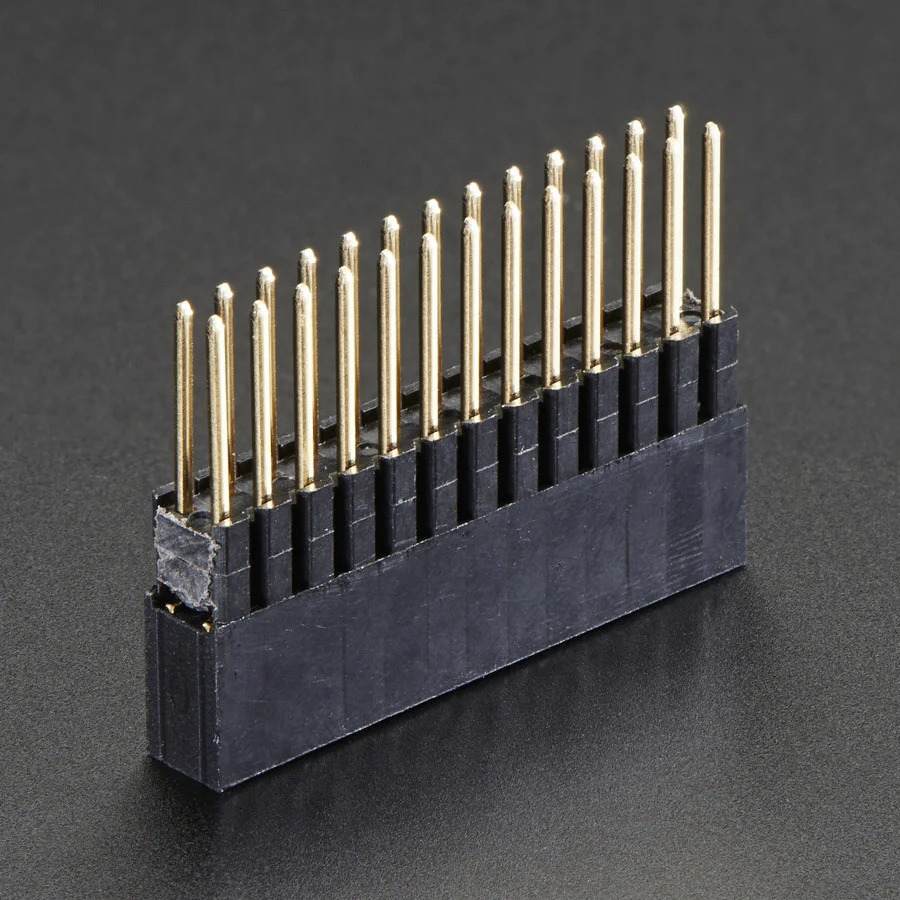
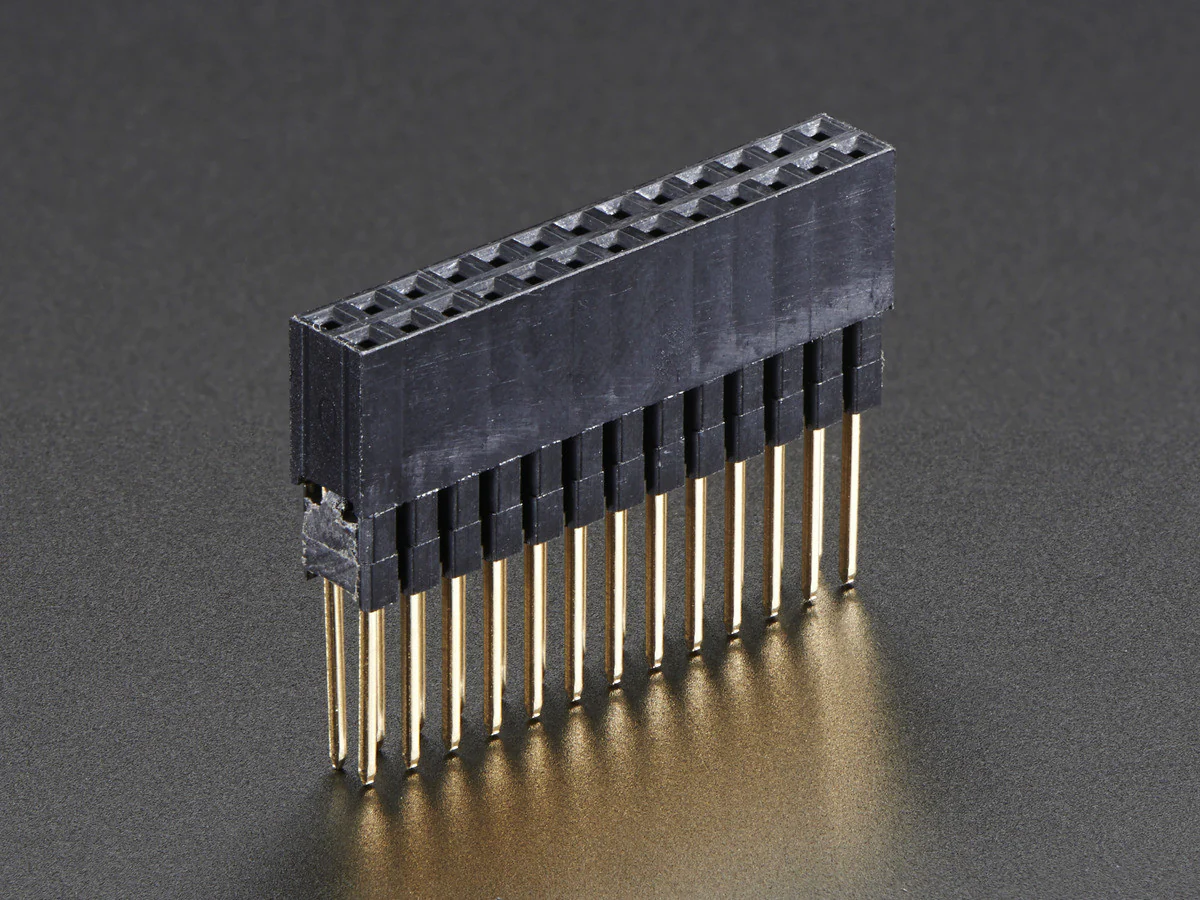
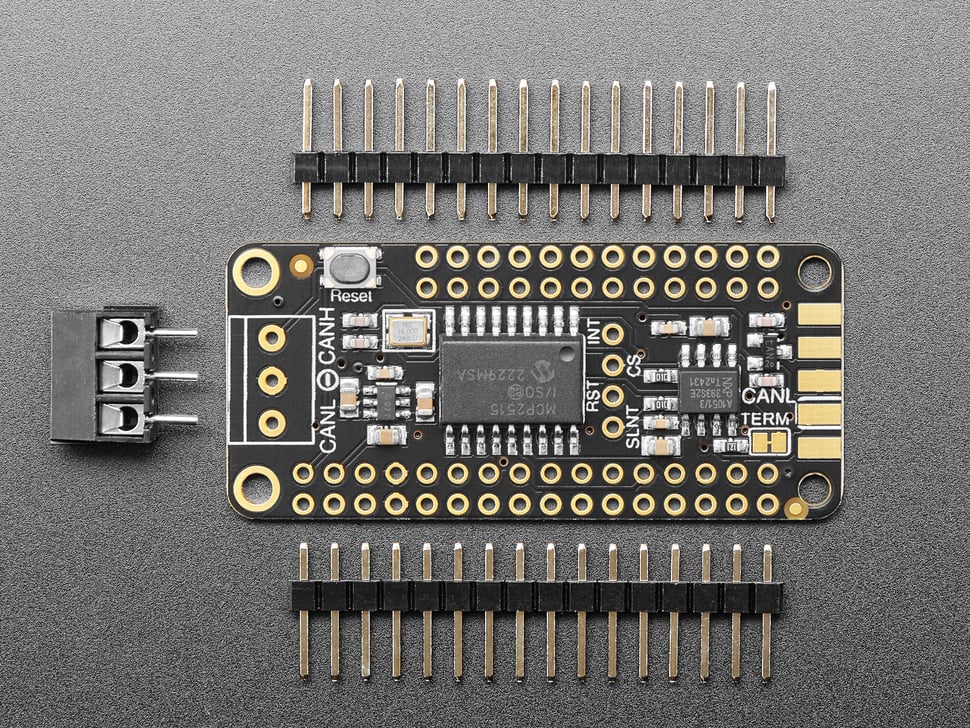
Each order comes with an assembled 'Wing, terminal block and header. You will need to solder in the header yourself but its a quick task.
Technical Details
- MCP2515 Specifications (more at product page here)
| Bitrate Max [MBits/s] | 1 |
| CAN Controllers | 1 |
| Internal CAN Clock | No |
| LPM Current Max [uA] | 0 |
| Message RAM [KB] | 0 |
| Operating Voltage Min. [V] | 2.7 |
| Operating Voltage Max. [V] | 5.5 |
| Rx Buffers | 2 |
| SPI Interface | Yes |
| Serial Bus Speed [MHz] | 10 |
| Standby Current Max [uA] | 0 |
| Operating Temperature Min. [°C] | -40 |
| Operating Temperature Max. [°C] | 125 |
| Time Stamp (Bits) | 0 |
| TX Buffers | 3 |
| TX Event FIFO | 0 |
| TX Queue | 0 |
| CAN FD | No |
-
TJA1051/3 Datasheet
Product Dimensions: 50.6mm x 22.7mm x 4.0mm / 2.0" x 0.9" x 0.2"
Product Weight: 4.5g / 0.2oz


More Images
Adafruit CAN Bus FeatherWing - MCP2515
CAN Bus is a small-scale networking standard, originally designed for cars and, yes, busses, but is now used for many robotics or sensor networks that need better range and addressing than I2C, and don't have the pins or computational ability to talk on Ethernet. CAN is 2 wire differential, which means it's good for long distances and noisy environments.
Messages are sent at about 1Mbps rate - you set the frequency for the bus and then all 'joiners' must match it, and have an address before the packet so that each node can listen in to messages just for it. New nodes can be attached easily because they just need to connect to the two data lines anywhere in the shared net. Each CAN devices sends messages whenever it wants, and thanks to some clever data encoding, can detect if there's a message collision and retransmit later.
If you'd like to connect your Feather to a CAN Bus, the Adafruit CAN Bus FeatherWing with MCP2515 controller and TJA1051/3 transceiver will work with any and all Feathers! The controller used is the MCP2515, an extremely popular and well-supported chipset that has drivers in Arduino and CircuitPython and only requires an SPI port and two pins for chip-select and IRQ. Use it to send and receive messages in either standard or extended format at up to 1 Mbps.
We've added a few nice extras to this Feather to make it useful in many common CAN scenarios:
- 5V charge-pump voltage generator, so even though you are running 3.3V on a Feather board, it will generate a nice clean 5V as required by the transciever.
- 3.5mm terminal block that can be soldered in to get quick access to the High and Low data lines as well as a ground pin.
- 120 ohm termination resistor on board, you can remove the termination easily by cutting the jumper marked TERM on the top of the board.
- A spot that one can solder an optional (not included!) edge-launch DE-9 connector that is commonly used for connecting to CAN devices. L is connected to pin 2 and H is connected to pin 7. You could then plug this into an ODB-II cable to connect to a car's CAN network - you'll still need software to decode the messages though!
- Pre-connected CS and INT pins on the two pins to the left of the I2C Feather port - usually these are pins #5 and #6 but some feathers may have different numbering! You can cut the bottom solder jumpers and use the breakout pads to connect to any two IO pins you like.
Each order comes with an assembled 'Wing, terminal block and header. You will need to solder in the header yourself but its a quick task.
Technical Details
- MCP2515 Specifications (more at product page here)
| Bitrate Max [MBits/s] | 1 |
| CAN Controllers | 1 |
| Internal CAN Clock | No |
| LPM Current Max [uA] | 0 |
| Message RAM [KB] | 0 |
| Operating Voltage Min. [V] | 2.7 |
| Operating Voltage Max. [V] | 5.5 |
| Rx Buffers | 2 |
| SPI Interface | Yes |
| Serial Bus Speed [MHz] | 10 |
| Standby Current Max [uA] | 0 |
| Operating Temperature Min. [°C] | -40 |
| Operating Temperature Max. [°C] | 125 |
| Time Stamp (Bits) | 0 |
| TX Buffers | 3 |
| TX Event FIFO | 0 |
| TX Queue | 0 |
| CAN FD | No |
-
TJA1051/3 Datasheet
Product Dimensions: 50.6mm x 22.7mm x 4.0mm / 2.0" x 0.9" x 0.2"
Product Weight: 4.5g / 0.2oz
Product Information
Product Information
Shipping & Returns
Shipping & Returns
Description
CAN Bus is a small-scale networking standard, originally designed for cars and, yes, busses, but is now used for many robotics or sensor networks that need better range and addressing than I2C, and don't have the pins or computational ability to talk on Ethernet. CAN is 2 wire differential, which means it's good for long distances and noisy environments.
Messages are sent at about 1Mbps rate - you set the frequency for the bus and then all 'joiners' must match it, and have an address before the packet so that each node can listen in to messages just for it. New nodes can be attached easily because they just need to connect to the two data lines anywhere in the shared net. Each CAN devices sends messages whenever it wants, and thanks to some clever data encoding, can detect if there's a message collision and retransmit later.
If you'd like to connect your Feather to a CAN Bus, the Adafruit CAN Bus FeatherWing with MCP2515 controller and TJA1051/3 transceiver will work with any and all Feathers! The controller used is the MCP2515, an extremely popular and well-supported chipset that has drivers in Arduino and CircuitPython and only requires an SPI port and two pins for chip-select and IRQ. Use it to send and receive messages in either standard or extended format at up to 1 Mbps.
We've added a few nice extras to this Feather to make it useful in many common CAN scenarios:
- 5V charge-pump voltage generator, so even though you are running 3.3V on a Feather board, it will generate a nice clean 5V as required by the transciever.
- 3.5mm terminal block that can be soldered in to get quick access to the High and Low data lines as well as a ground pin.
- 120 ohm termination resistor on board, you can remove the termination easily by cutting the jumper marked TERM on the top of the board.
- A spot that one can solder an optional (not included!) edge-launch DE-9 connector that is commonly used for connecting to CAN devices. L is connected to pin 2 and H is connected to pin 7. You could then plug this into an ODB-II cable to connect to a car's CAN network - you'll still need software to decode the messages though!
- Pre-connected CS and INT pins on the two pins to the left of the I2C Feather port - usually these are pins #5 and #6 but some feathers may have different numbering! You can cut the bottom solder jumpers and use the breakout pads to connect to any two IO pins you like.
Each order comes with an assembled 'Wing, terminal block and header. You will need to solder in the header yourself but its a quick task.
Technical Details
- MCP2515 Specifications (more at product page here)
| Bitrate Max [MBits/s] | 1 |
| CAN Controllers | 1 |
| Internal CAN Clock | No |
| LPM Current Max [uA] | 0 |
| Message RAM [KB] | 0 |
| Operating Voltage Min. [V] | 2.7 |
| Operating Voltage Max. [V] | 5.5 |
| Rx Buffers | 2 |
| SPI Interface | Yes |
| Serial Bus Speed [MHz] | 10 |
| Standby Current Max [uA] | 0 |
| Operating Temperature Min. [°C] | -40 |
| Operating Temperature Max. [°C] | 125 |
| Time Stamp (Bits) | 0 |
| TX Buffers | 3 |
| TX Event FIFO | 0 |
| TX Queue | 0 |
| CAN FD | No |
-
TJA1051/3 Datasheet
Product Dimensions: 50.6mm x 22.7mm x 4.0mm / 2.0" x 0.9" x 0.2"
Product Weight: 4.5g / 0.2oz