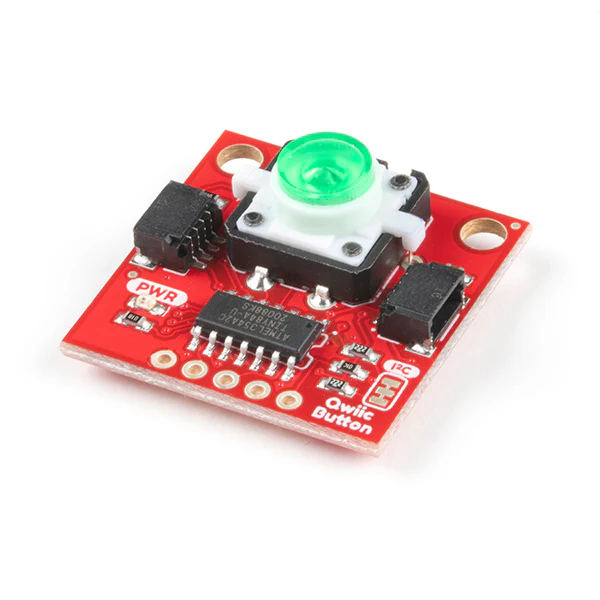
SparkFun Qwiic Button - Green LED
Buttons are an easy and tactile way to interface with your project, but why would you want to deal with debouncing, polling, and wiring up pull-up resistors? The Qwiic Button with built-in green LED simplifies all of those nasty worries away into an easy to use I2C device!
Utilizing the Qwiic Connect System, using the button is as simple as connecting a cable and loading up some pre-written code!
If you need multiple buttons for your project, fear not! Each button has a configurable I2C address, so you can daisy-chain multiple buttons over Qwiic and still address each one individually. There's even an example in the Arduino library that provides a super-easy way to configure your Qwiic Button to whatever I2C address you desire. You can download the library through the Arduino library manager by searching 'SparkFun Qwiic Button' or you can get the GitHub repo as a .zip file and install the library from there.
In addition to handling blinking and debouncing, the Qwiic Button has configurable interrupts that can be configured to activate upon a button press or click. SparkFun have also taken the liberty of implementing a FIFO queue onboard the Qwiic Button where it keeps an internal record of when the button was pressed. This means that code on your microcontroller need not waste valuable processing time checking the status of the button but instead can run a small function whenever the button is pressed or clicked! For more information on interrupts check out the guide here!
The SparkFun Qwiic Connect System is an ecosystem of I2C sensors, actuators, shields and cables that make prototyping faster and less prone to error. All Qwiic-enabled boards use a common 1mm pitch, 4-pin JST connector. This reduces the amount of required PCB space, and polarized connections mean you can’t hook it up wrong.
Get started with the SparkFun Qwiic Button Guide
Features
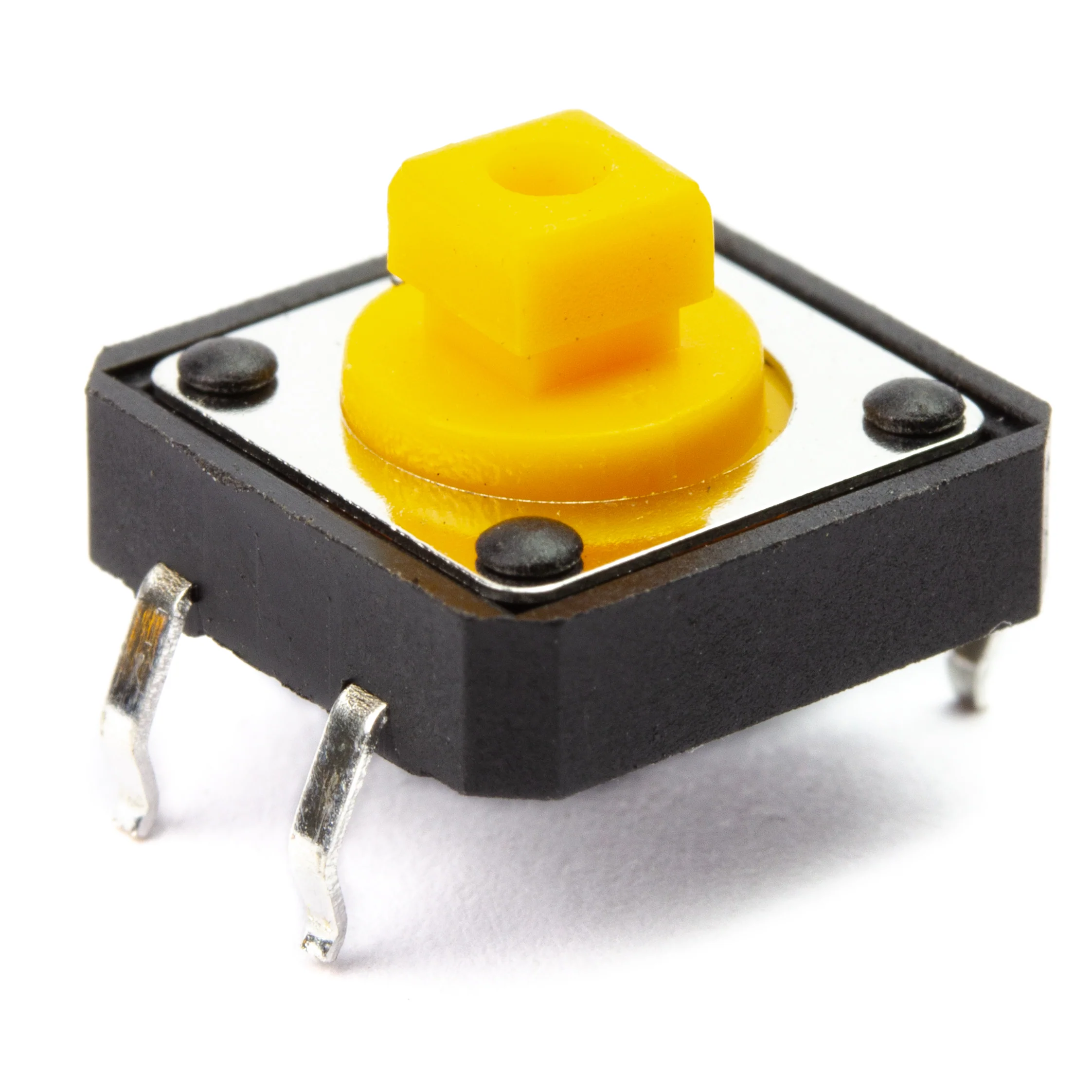
- 12mm Green LED Button rated for 50mA
- Built in LED can be configured for your desired level of blinkiness!
- Each button has a configurable I2C address
- Configurable interrupts - check out the guide here!
- FIFO queue
Documents
- Schematic
- Eagle Files
- Board Dimensions
- Hookup Guide
- Arduino Library
- Register Map
- GitHub Hardware Repo
More Images


SparkFun Qwiic Button - Green LED
Buttons are an easy and tactile way to interface with your project, but why would you want to deal with debouncing, polling, and wiring up pull-up resistors? The Qwiic Button with built-in green LED simplifies all of those nasty worries away into an easy to use I2C device!
Utilizing the Qwiic Connect System, using the button is as simple as connecting a cable and loading up some pre-written code!
If you need multiple buttons for your project, fear not! Each button has a configurable I2C address, so you can daisy-chain multiple buttons over Qwiic and still address each one individually. There's even an example in the Arduino library that provides a super-easy way to configure your Qwiic Button to whatever I2C address you desire. You can download the library through the Arduino library manager by searching 'SparkFun Qwiic Button' or you can get the GitHub repo as a .zip file and install the library from there.
In addition to handling blinking and debouncing, the Qwiic Button has configurable interrupts that can be configured to activate upon a button press or click. SparkFun have also taken the liberty of implementing a FIFO queue onboard the Qwiic Button where it keeps an internal record of when the button was pressed. This means that code on your microcontroller need not waste valuable processing time checking the status of the button but instead can run a small function whenever the button is pressed or clicked! For more information on interrupts check out the guide here!
The SparkFun Qwiic Connect System is an ecosystem of I2C sensors, actuators, shields and cables that make prototyping faster and less prone to error. All Qwiic-enabled boards use a common 1mm pitch, 4-pin JST connector. This reduces the amount of required PCB space, and polarized connections mean you can’t hook it up wrong.
Get started with the SparkFun Qwiic Button Guide
Features
- 12mm Green LED Button rated for 50mA
- Built in LED can be configured for your desired level of blinkiness!
- Each button has a configurable I2C address
- Configurable interrupts - check out the guide here!
- FIFO queue
Documents
- Schematic
- Eagle Files
- Board Dimensions
- Hookup Guide
- Arduino Library
- Register Map
- GitHub Hardware Repo
Product Information
Product Information
Shipping & Returns
Shipping & Returns
Description
Buttons are an easy and tactile way to interface with your project, but why would you want to deal with debouncing, polling, and wiring up pull-up resistors? The Qwiic Button with built-in green LED simplifies all of those nasty worries away into an easy to use I2C device!
Utilizing the Qwiic Connect System, using the button is as simple as connecting a cable and loading up some pre-written code!
If you need multiple buttons for your project, fear not! Each button has a configurable I2C address, so you can daisy-chain multiple buttons over Qwiic and still address each one individually. There's even an example in the Arduino library that provides a super-easy way to configure your Qwiic Button to whatever I2C address you desire. You can download the library through the Arduino library manager by searching 'SparkFun Qwiic Button' or you can get the GitHub repo as a .zip file and install the library from there.
In addition to handling blinking and debouncing, the Qwiic Button has configurable interrupts that can be configured to activate upon a button press or click. SparkFun have also taken the liberty of implementing a FIFO queue onboard the Qwiic Button where it keeps an internal record of when the button was pressed. This means that code on your microcontroller need not waste valuable processing time checking the status of the button but instead can run a small function whenever the button is pressed or clicked! For more information on interrupts check out the guide here!
The SparkFun Qwiic Connect System is an ecosystem of I2C sensors, actuators, shields and cables that make prototyping faster and less prone to error. All Qwiic-enabled boards use a common 1mm pitch, 4-pin JST connector. This reduces the amount of required PCB space, and polarized connections mean you can’t hook it up wrong.
Get started with the SparkFun Qwiic Button Guide
Features
- 12mm Green LED Button rated for 50mA
- Built in LED can be configured for your desired level of blinkiness!
- Each button has a configurable I2C address
- Configurable interrupts - check out the guide here!
- FIFO queue
Documents
- Schematic
- Eagle Files
- Board Dimensions
- Hookup Guide
- Arduino Library
- Register Map
- GitHub Hardware Repo